library(querychat)
querychat_app(mtcars)Exploring querychat: talk to your data in a Shiny app
R
Shiny

I was excited to see the release of the querychat package on CRAN recently. I first noticed this package on Posit’s GitHub, and was really curious to see what it did. In short, it lets you ask questions to a chatbot which then generates SQL and queries a data frame or database connection to answer your question.
Reproducibility through SQL
querychat a really exciting and powerful tool because it allows you to overcome some of the key issues with using LLMs for data analysis. LLMs are pretty poor at many tasks to do with numbers, and in a data analysis context we need results which we can rely on, understand where they come from, and can be reproduced by others.
We can’t just feed our tabular data into an LLM and expect to get helpful results back, but querychat helps overcome some of these issues - we now have code that we can run again and get the same answers every time, and if we can trust that the generated SQL properly answers the question we asked, we now have something we can depend on more easily.
How this works is pretty neat; under the hood, querychat uses DuckDB; data frames are converted into DuckDB tables which can then be queried using SQL.
The schema
querychat generates a system prompt; the default one contains instructions on how to generate the required SQL, and some information about the database schema. In the case of mtcars, the schema looks like this:
You have access to a DuckDB SQL database with the following schema:

<database_schema>
Table: mtcars
Columns:
- mpg (FLOAT)
  Range: 10.4 to 33.9
- cyl (FLOAT)
  Range: 4 to 8
- disp (FLOAT)
  Range: 71.1 to 472
- hp (FLOAT)
  Range: 52 to 335
- drat (FLOAT)
  Range: 2.76 to 4.93
- wt (FLOAT)
  Range: 1.513 to 5.424
- qsec (FLOAT)
  Range: 14.5 to 22.9
- vs (FLOAT)
  Range: 0 to 1
- am (FLOAT)
  Range: 0 to 1
- gear (FLOAT)
  Range: 3 to 5
- carb (FLOAT)
  Range: 1 to 8
</database_schema>
It contains column names, types, and value ranges, but crucially doesn’t contain our full dataset.
Filtering the data
You can create the simplest possible app by calling the querychat_app() function.
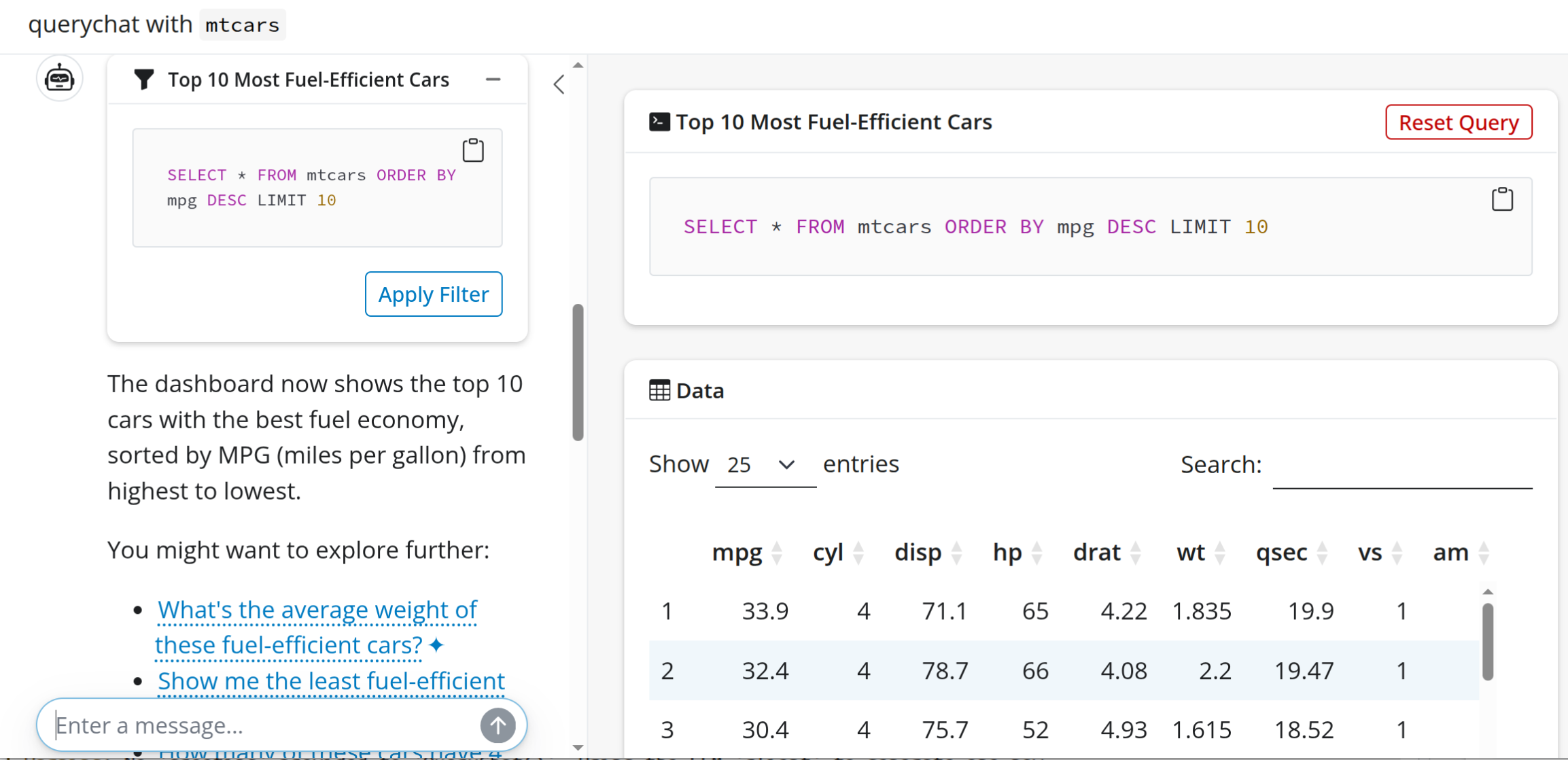
When data is filtered, the SQL necessary to select a subset is generated, and the data displayed in the app is updated.
This doesn’t require access to the underlying data; just the schema so that appropriate queries can be generated based on the available data.
This is a simpler kind of query, but we can also perform aggregations, which work a little differently.
Aggregating the data
When querychat has full access to the data (enabled by default), it can perform aggregations, the results of which are passed back to the LLM to to inform answers to questions.
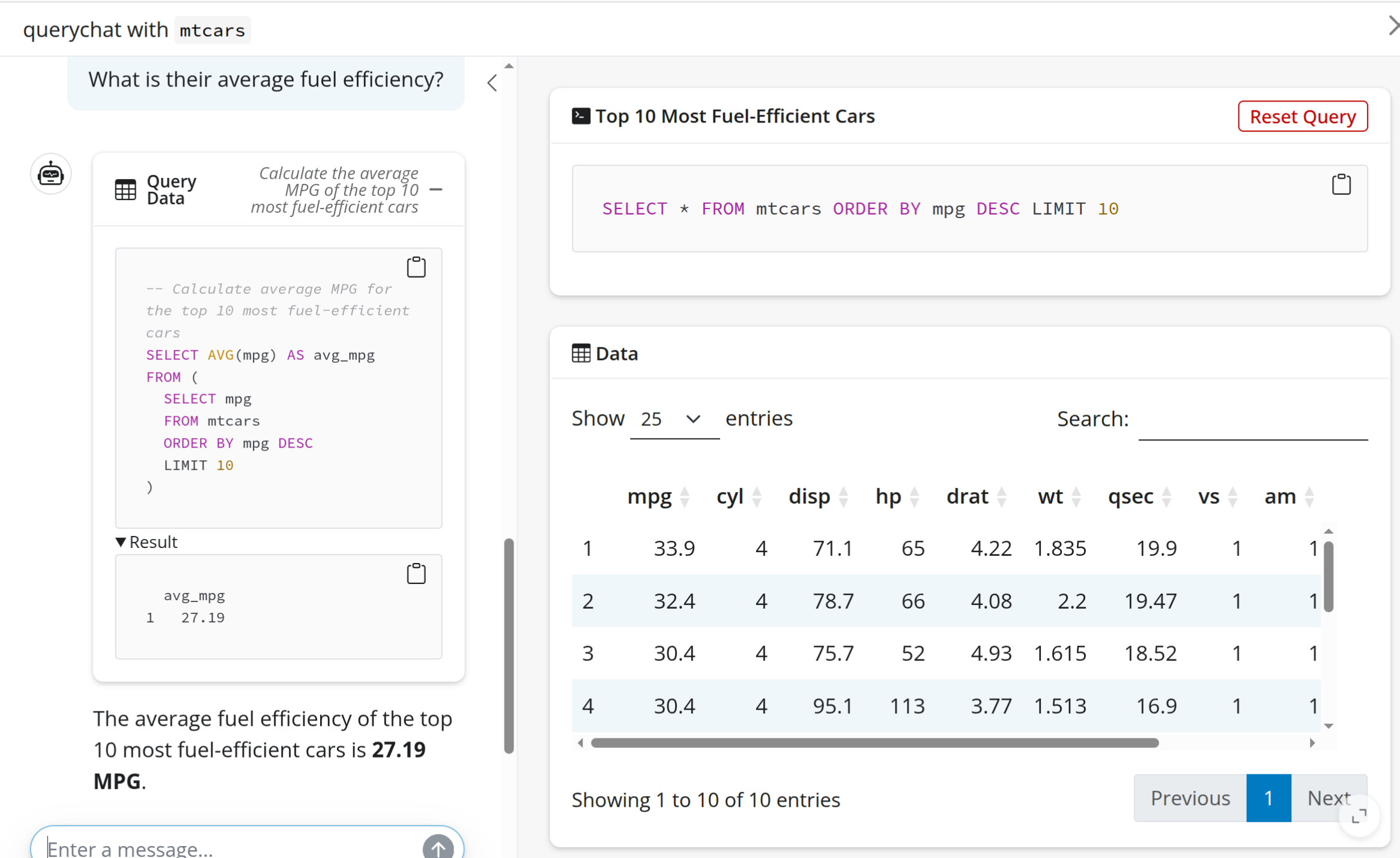
This is pretty neat, but what if we don’t want to pass this data back to the LLM?
One feature of querychat that I like is this ability to enable partial data privacy. We can disable the tool that querychat uses to query the data in this way, only allowing it to perform filtering. We can’t answer as many interesting questions, but still have functionality while only passing the schema to the LLM.
By default both “query” and “update” tools are enabled, so setting tools = "update" disables the query tool entirely, and enables partial data privacy.
library(querychat)

querychat_app(mtcars, tools = "update")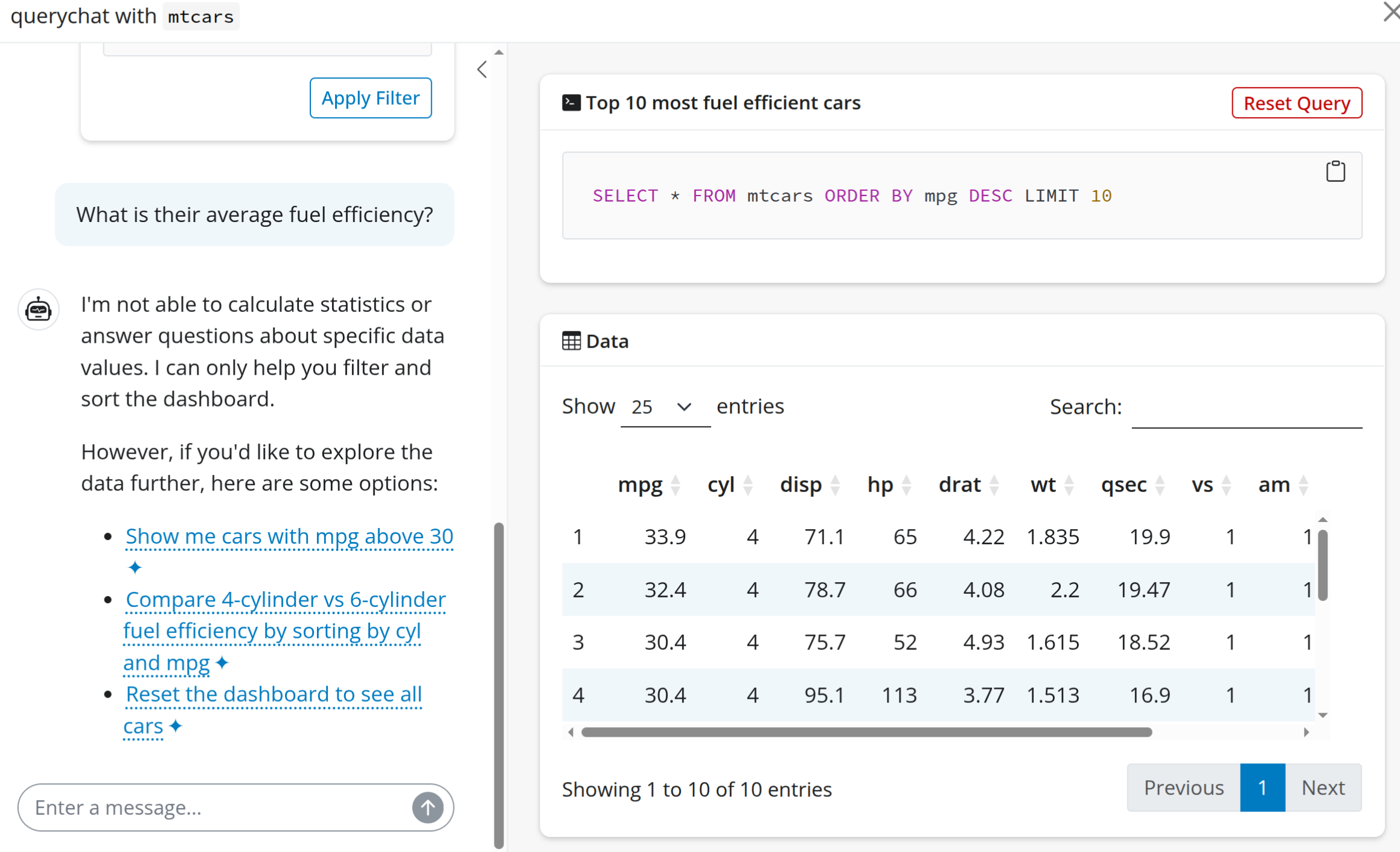
Learn more
LLMs are going to have a huge impact on how we communicate with and about data, and so the querychat package is a huge step forward in this regard. If you want to learn more, here’s a more detailed post on the Shiny blog by Veerle Eeftink - van Leemput, or check out her video below.